We swapped PixHawks and reinstalled all of the software and updated it with the custom firmware, recalibrated all of the sensors, and ran the calibration again on the ESC. We have reinstalled QGroundControl as well.
The students attempted to run the initial flight test, but the drone instantly flipped to the left. They switched the props and it flipped to the right. They were unable to run a motor test for individual motors before attempting flight. They were unable to click on any of the motors in the Motor Test.
Motors 1 & 2 are rotating CCW
Motors 3 & 4 are rotating CW
The props are installed properly.
All of the motors seem to be turning equally smooth when rotated by hand.
We have spent about 4 hours researching what the issues could be but we are kind of stuck at this point.
Questions:
Is there something disabling the motor test to see if I am getting equal power?
Is there a way to reset everything back to factory defaults and start again, or do I need to reinstall everything again?
Would there be any issue with using an older PixHawk 6 that we swapped from another drone? We reinstalled the custom firmware PX4 fmu-vc6 default v1.13 We also tried the new stable version 1.16 that I saw that suggested for the Transmitter Connection Issue. Transmitter Connection Issue? - #9 by leslieR
Hi Eric, if all of the info you shared is accurate perhaps it’s a flight controller orientation issue. Maybe you either mounted it with the arrow pointing to the rear of the drone and did the calibration based on that orientation. Another issue may be in the sensors tab you have the Pixhawk orientation set incorrectly. These are a couple of things that jump out at me.
Have your team give this a review:
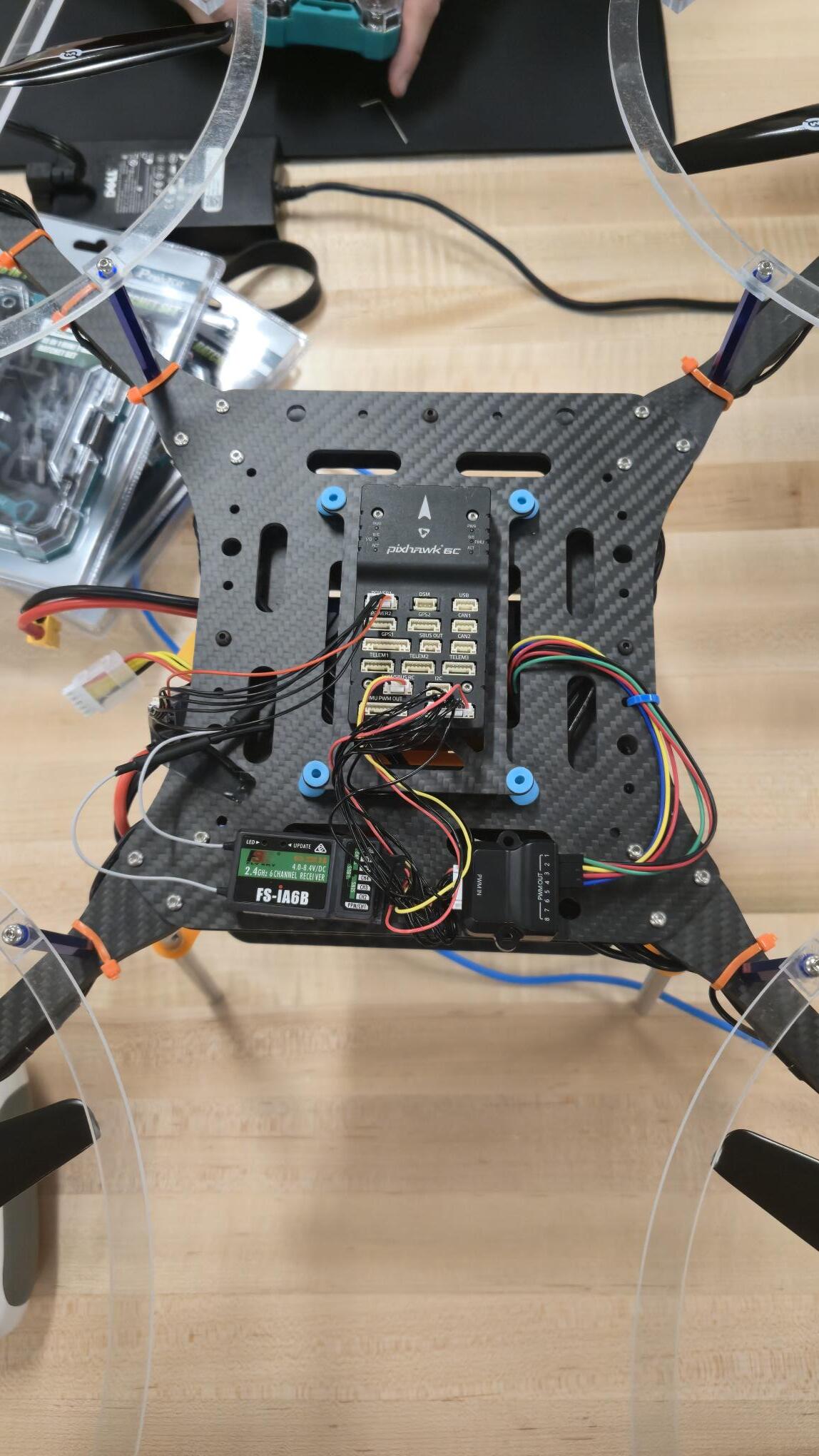
Even though it’s the DEXI drone the same principles apply. Can you post some photos of your Pixhawk mounting location/orientation? Lastly, you should upgrade to PX4 1.16 for your AVR drone. Details can be found in this video:
Keep us posted and we look forward to getting you in the air with good position hold!
Ok. We are having some real issues. When I have updated the Pixhawks, I am unable to calibrate the ESC, I am unable to power the motors on from the transmitter. When you plug the battery in you get no connection sounds. I received an error You may be running a version of firmware which is not fully supported or your firmware has a bug in it. Missing Params 1:COM_OBS_AVOID
I took a 3rd Pixhawk that has an old firmware on it and everything turns on. I am able to run motor tests, but I still am having the falling to one side issue. I don’t want to update that firmware at this time since I now have two non-functioning Pixhawks.
There is a picture of the orientation of the drone. Motor 1 is in the top right, Motor 2 is bottom left, Motor 3 is top left, Motor 4 is bottom right.
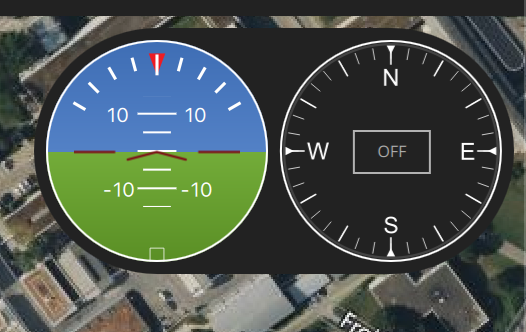
It’s safe to ignore that COM_OBS_AVOID param for now. Have you done the sensor calibration in QGC? Specifically I would double check the compass calibration. Another test you can run is plugin your Pixhawk and in QGC look at the drone attitude HUD:
When you tilt the drone to left you should see the green/blue area rotate upwards and vice versa when you title the drone to the right. I hope that makes sense. Basically you want to make sure the horizon rotates in the proper direction when you tilt your drone. You should also do this on the pitch axis (forward/back).